
01
Statutory food-safety monitoring
A food business operator is responsible for monitoring the safety of its operations. Monitoring is based on the restaurant’s activities, risks and food-safety plan, and the operator remains responsible for accurate records and sufficient oversight.
Väylä helps store temperature measurements in one place, but it does not create a food-safety plan for the restaurant or replace guidance from the Finnish Food Authority, municipal food control or another expert.
Who can do this?
- All staff roles
02
Measurement points and limits
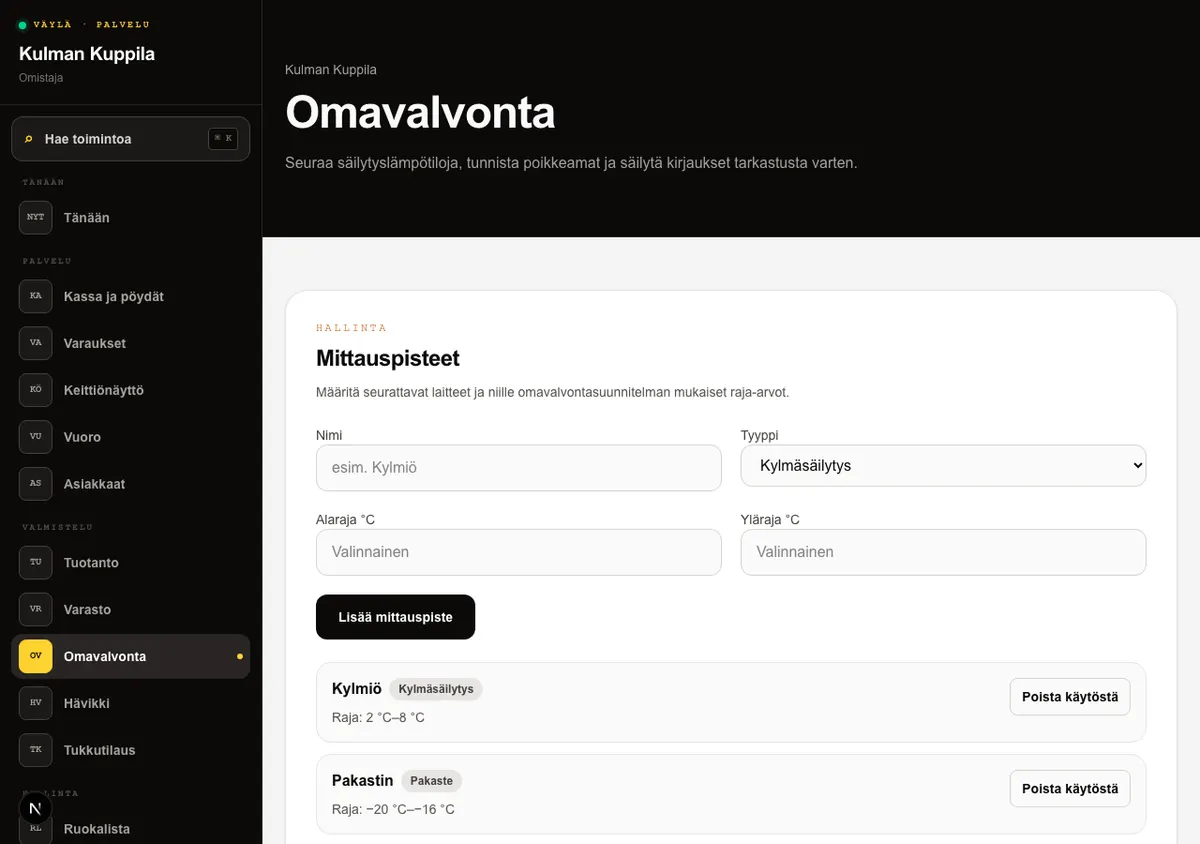
A measurement point describes the monitored target, such as a cold room, freezer or hot holding station. An owner or manager enters its name, type and the minimum and/or maximum required by the food-safety plan.
A deactivated measurement point no longer appears when recording a new measurement. Earlier temperature entries remain in the history.
How to do it
- 1Open Food safety under Preparation in the main menu.
- 2Under Measurement points, enter a name, type and the required temperature limits.
- 3Select Add measurement point.
- 4Deactivate an obsolete point when it is no longer monitored.
Who can do this?
- Manage measurement points: owner or manager
03
Recording a temperature
All staff roles can record a temperature for an active measurement point. Väylä compares it with the point’s limits and saves the measurement time and staff member.
Entries cannot be edited or deleted afterwards. Correct an incorrect measurement by making a new entry and describing the correction under Additional information.
How to do it
- 1Under Record temperature, select a measurement point.
- 2Enter the measured temperature in degrees Celsius.
- 3Add further information when needed and select Record temperature.
- 4Check the saved value under Latest entries.
Who can do this?
- Owner
- Manager
- Waiter
- Kitchen
04
Deviations and corrective actions
A measurement below the minimum or above the maximum is marked with a red Deviation label. The label helps locate deviations, but staff assess the situation and act according to the restaurant’s food-safety plan.
Under Additional information, record the observed cause and corrective action, such as moving a product to another cold room or taking a new check measurement. After the corrective action, record a new temperature so the outcome remains visible.
Who can do this?
- All staff roles
05
Cleaning and completing tasks
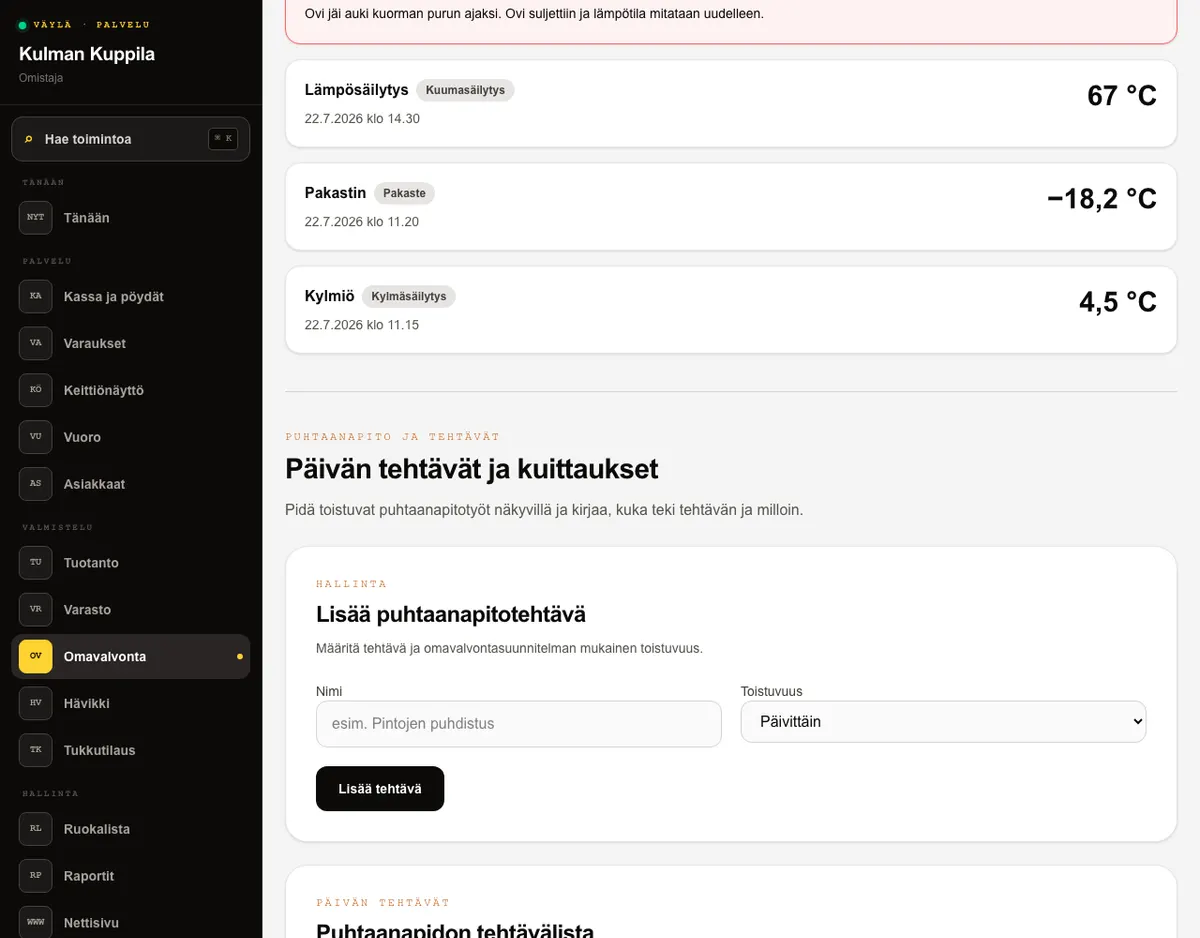
An owner or manager adds cleaning and inspection tasks based on the restaurant’s food-safety plan and marks their frequency as daily, weekly or monthly. Frequency describes the task’s rhythm: Väylä currently shows all active tasks in one list and does not yet schedule due dates or send reminders.
All staff roles can mark an active task as completed. Today’s completion shows the staff member and time, and the completion log remains unchanged. The record documents completed work, but the restaurant is responsible for its sufficiency and compliance with the food-safety plan.
How to do it
- 1If you are an owner or manager, add the task and select its frequency.
- 2Complete the cleaning or inspection work according to the restaurant’s food-safety plan.
- 3Select Mark as completed on the task.
- 4Check today’s staff member and time on the same row.
Who can do this?
- Manage tasks: owner or manager
- Complete tasks: all staff roles
06
Report and export for an inspection
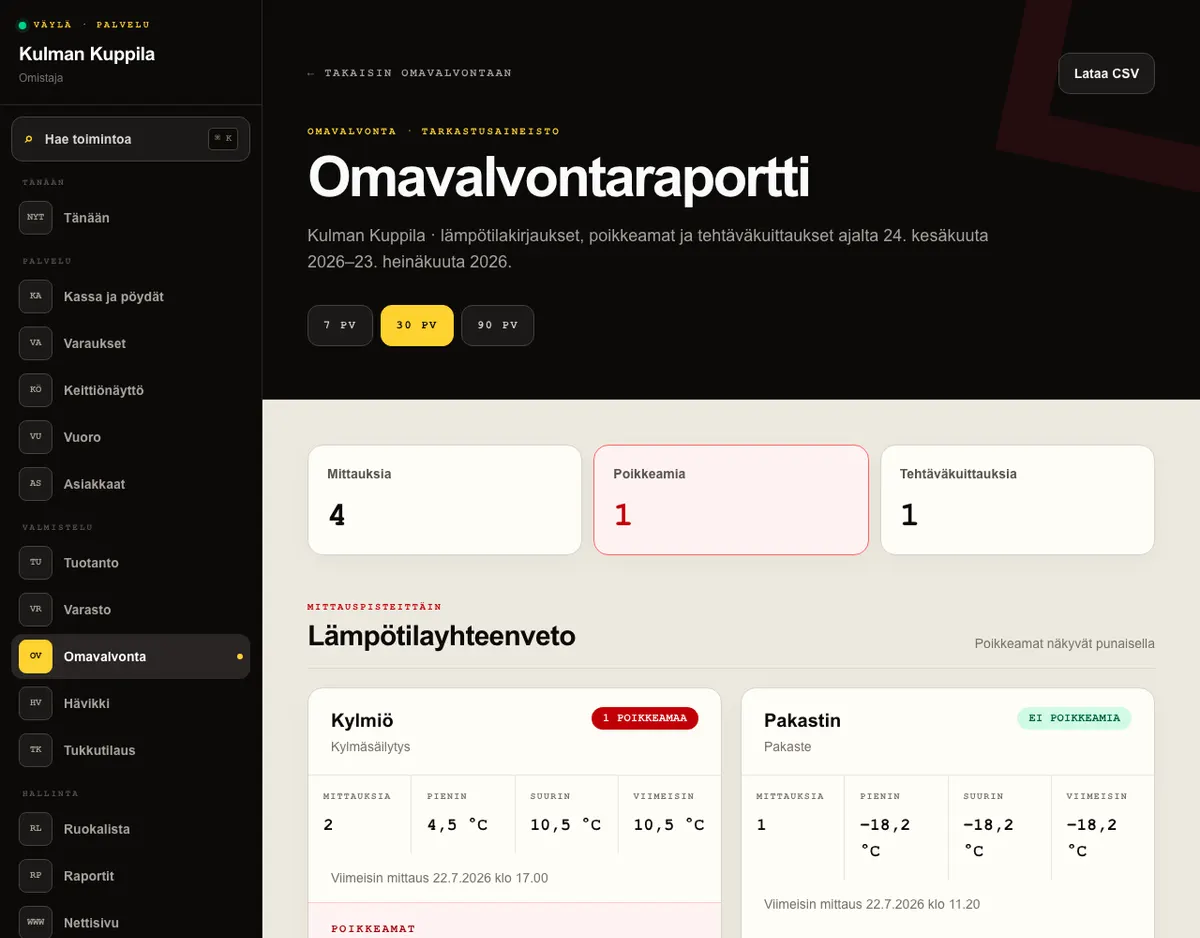
Owners and managers can open the Food-safety report from action search or the report link in Food safety. For the selected 7, 30 or 90 days, it summarises measurement counts, minimum and maximum temperatures, latest measurements, deviations, task completion counts and the latest staff members.
Download CSV creates a chronological file of temperature entries for an inspector. Deviations and their additional information have separate columns. The report and export are based on records saved in Väylä; the restaurant is responsible for ensuring they are complete and consistent with its food-safety plan.
How to do it
- 1Open Food safety and select Food-safety report.
- 2Select 7, 30 or 90 days.
- 3Review temperature deviations and task-completion coverage.
- 4Select Download CSV when you need the temperature records for an inspection.
Who can do this?
- Owner
- Manager