
01
Find a customer and review their history
Customers brings profiles created from bookings into one place. Staff can see contact details, up to 20 latest bookings and the number of no-shows.
Open Customers, search by name or phone number and select a customer. Visit history shows the time, party size, duration, booking source, status and any booking note.
An owner can use Download CSV to export customer contact details and loyalty points; anonymised customers are excluded.
Who can do this?
- Owner
- Manager
- Waiter
02
No-shows, tags and notes
When a booking is marked No-show in Bookings, the No-shows count on the customer profile increases. This helps staff identify repeated missed bookings.
Owners and managers can add internal tags such as VIP and save customer notes. Finally, select Add tag or Save notes.
Who can do this?
- View: owner, manager and waiter
- Edit: owner or manager
03
Loyalty program settings and points
An owner or manager can enable the loyalty program and set how many points a customer earns per euro. The same section sets the reward threshold and the reward description shown to the customer.
When the program is enabled, a waiter searches by phone number in the bill’s Loyalty customer section or creates a new customer with a name and phone number. The selected customer is attached to that bill, and full payment automatically awards points from the bill’s gross total.
The Loyalty balance on a customer profile is the sum of every point event. Staff can see the balance and up to 10 latest earn, redeem or adjustment events, but events cannot be edited or deleted afterwards.
An owner or manager can redeem the configured reward when the balance is sufficient. A manual point adjustment requires a positive or negative whole number and a reason; neither a redemption nor an adjustment can make the balance negative, and both are written to the audit log.
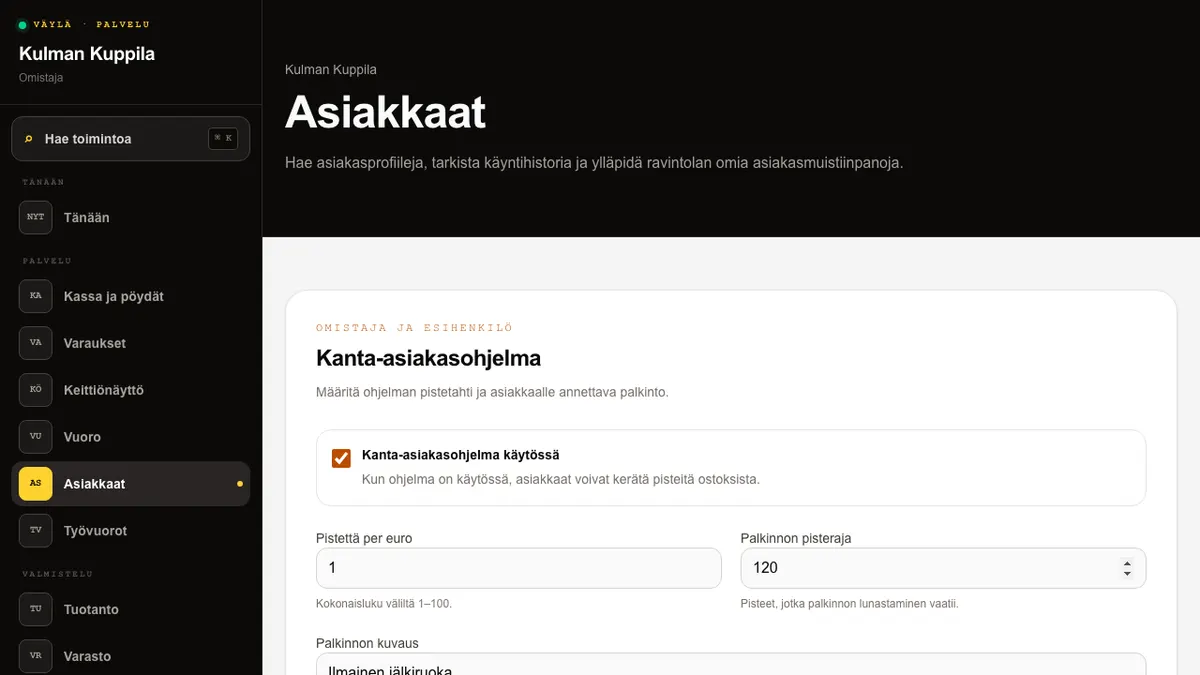
Who can do this?
- Settings: owner or manager
- Balance and events: owner, manager and waiter
04
GDPR anonymisation
For a privacy request, personal data in the customer profile can be anonymised permanently. Booking and accounting records remain without the deleted contact details.
Open Privacy on the customer profile and select Delete customer data (GDPR). Confirm only after checking the correct customer and request. Anonymisation cannot be undone.
Who can do this?
- Owner
- Manager